Customize Bunny Shield’s protections to throttle abuse, slow malicious bots, and absorb traffic spikes without affecting legitimate users.
Rate limit rules cap how many requests a client can make to your application within a defined window. Combine them with Shield’s targeting controls to throttle abuse on specific endpoints without affecting legitimate traffic.
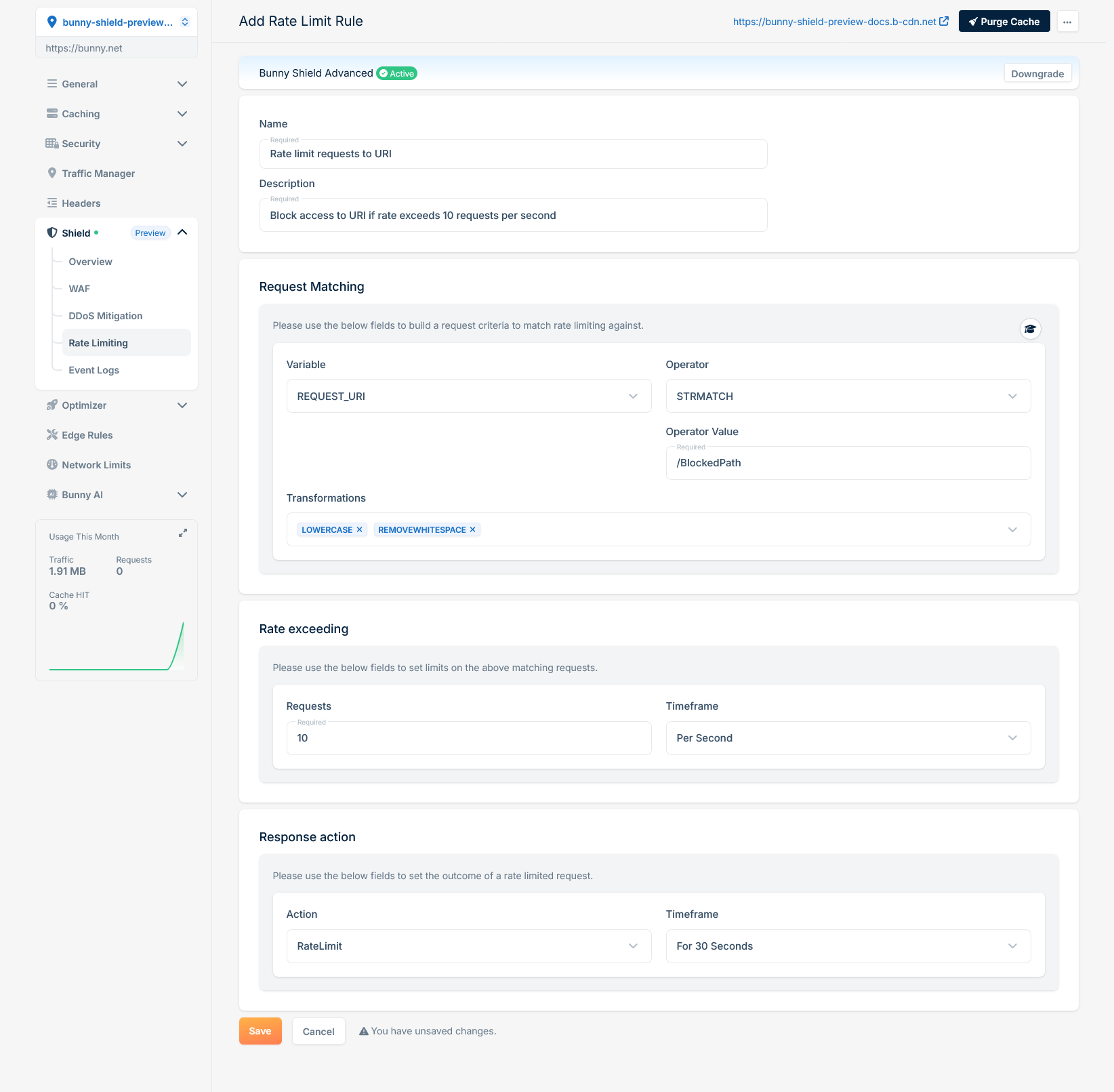
To create an effective rate limit rule, it’s important to understand the fundamentals of how to build a Custom WAF Rule on Bunny Shield. Familiarize yourself with our Rule Engine documentation to gain insights into how rules are structured and processed within the system.This rule processes each HTTP request by extracting only the REQUEST_URI (Variable), converting it to lowercase, and removing whitespaces (Transformations). It then verifies if the transformed REQUEST_URI matches exactly (Operator) with ‘/blockedpath’ (Operator Value). If a match is found, we increment the global rate limit counter. If the RequestCount (10 requests) is exceeded within the defined 1-second Timeframe, then our WAF Engine will block (Response Action) the request for the defined 30-second BlockTime, halting further rule processing and intercepting the request.With the basics covered, you can write rate limit rules that mitigate the abuse patterns specific to your site.
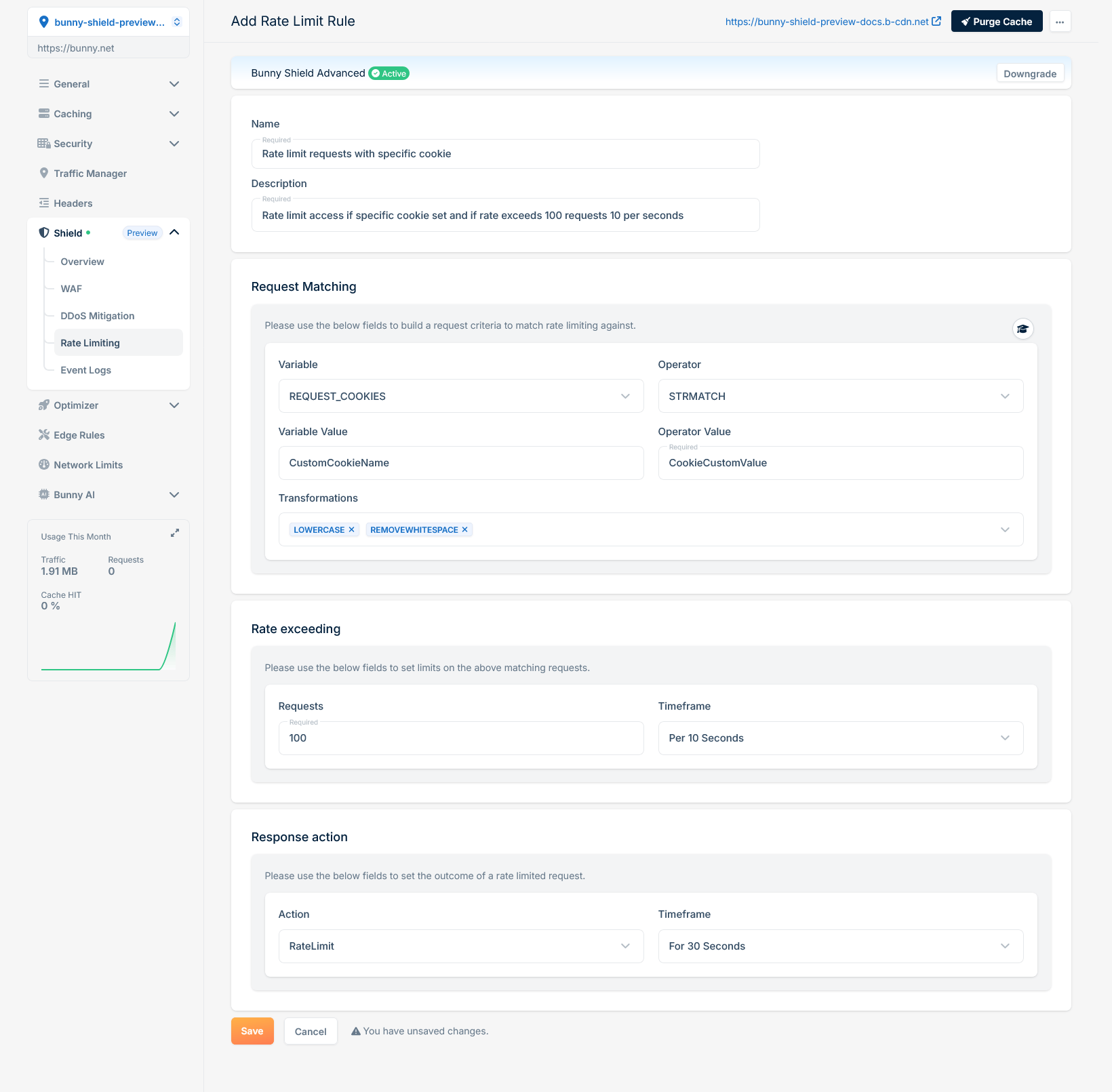
Rate limit request if a cookie is set with a specific value and exceeds a defined limit
If you want to rate limit requests when a specific cookie is set to a certain value and the request rate exceeds a defined limit, you can use the following configuration:
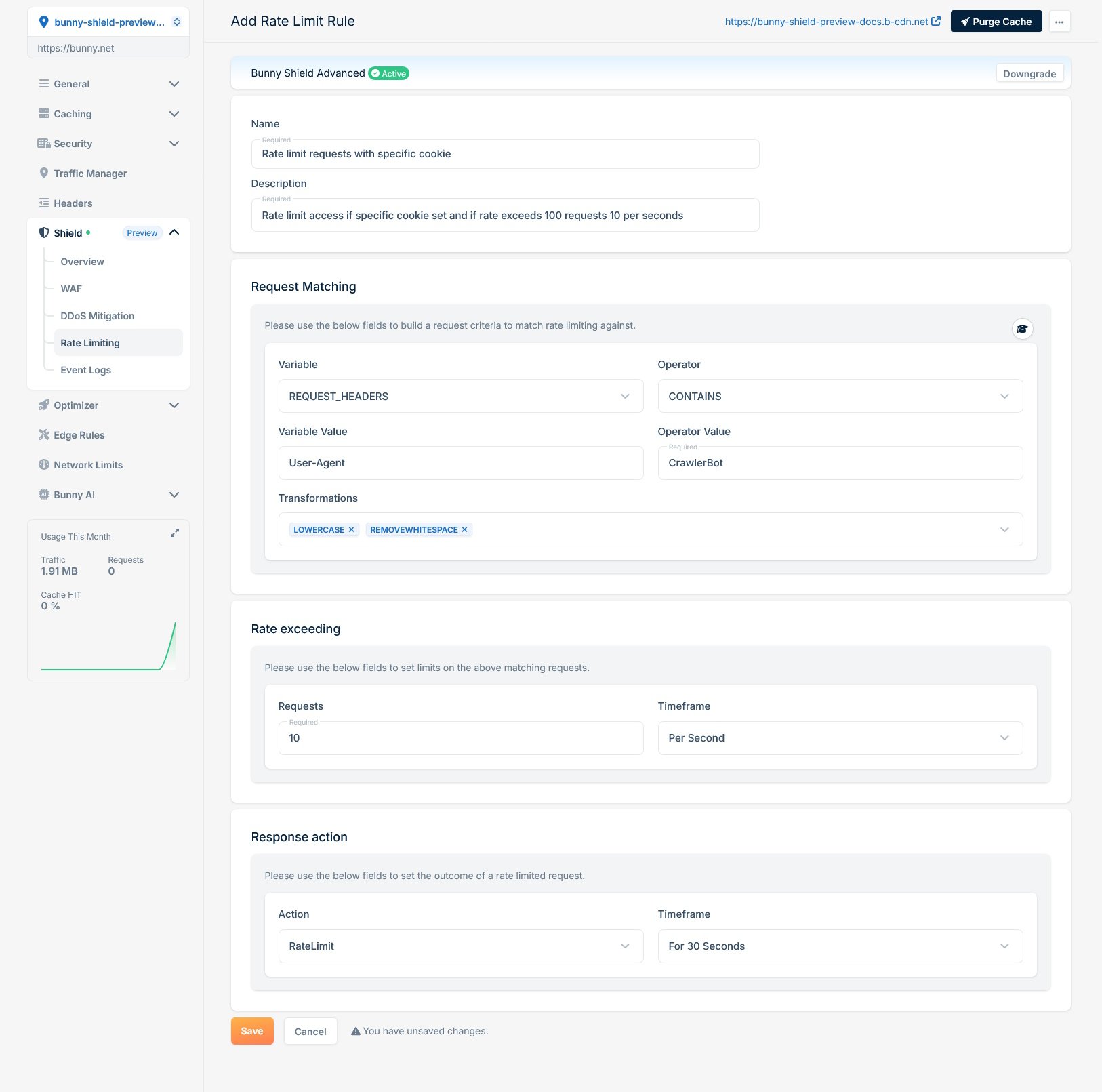
Rate limit request if User-Agent is a known crawler and exceeds a defined limit
If you need to rate limit requests where the User-Agent header contains a known crawler identifier and the request rate exceeds a defined limit, use the following rule configuration:
If you encounter any difficulties or have questions, our support team is here to assist you. Please don’t hesitate to contact us via support request form for prompt assistance.Our dedicated support team is ready to help you resolve any issues you might face during the deployment process, provide additional guidance, or answer your questions.