You can now automatically generate video chapters in Bunny Stream

Marek Nalikowski

November 25, 2025
Video viewers love having chapters with clear titles they can hop between, even in shorter videos. But setting those up manually takes time and effort. You have to choose the right timestamps, name each section, and make sure it all makes sense.
We just fixed that for Bunny Stream users with smart chapters, a new feature that automatically generates chapters for your videos!
How smart chapters work
Smart chapters extend the Bunny Stream transcribing feature, which is powered by Whisper, the popular automatic speech recognition (ASR) model from OpenAI. Smart chapters use the video transcription to automatically generate chapter timestamps and titles. Because of this, videos need to be transcribed or have a caption track already available before chapters can be created.
How to enable smart chapters
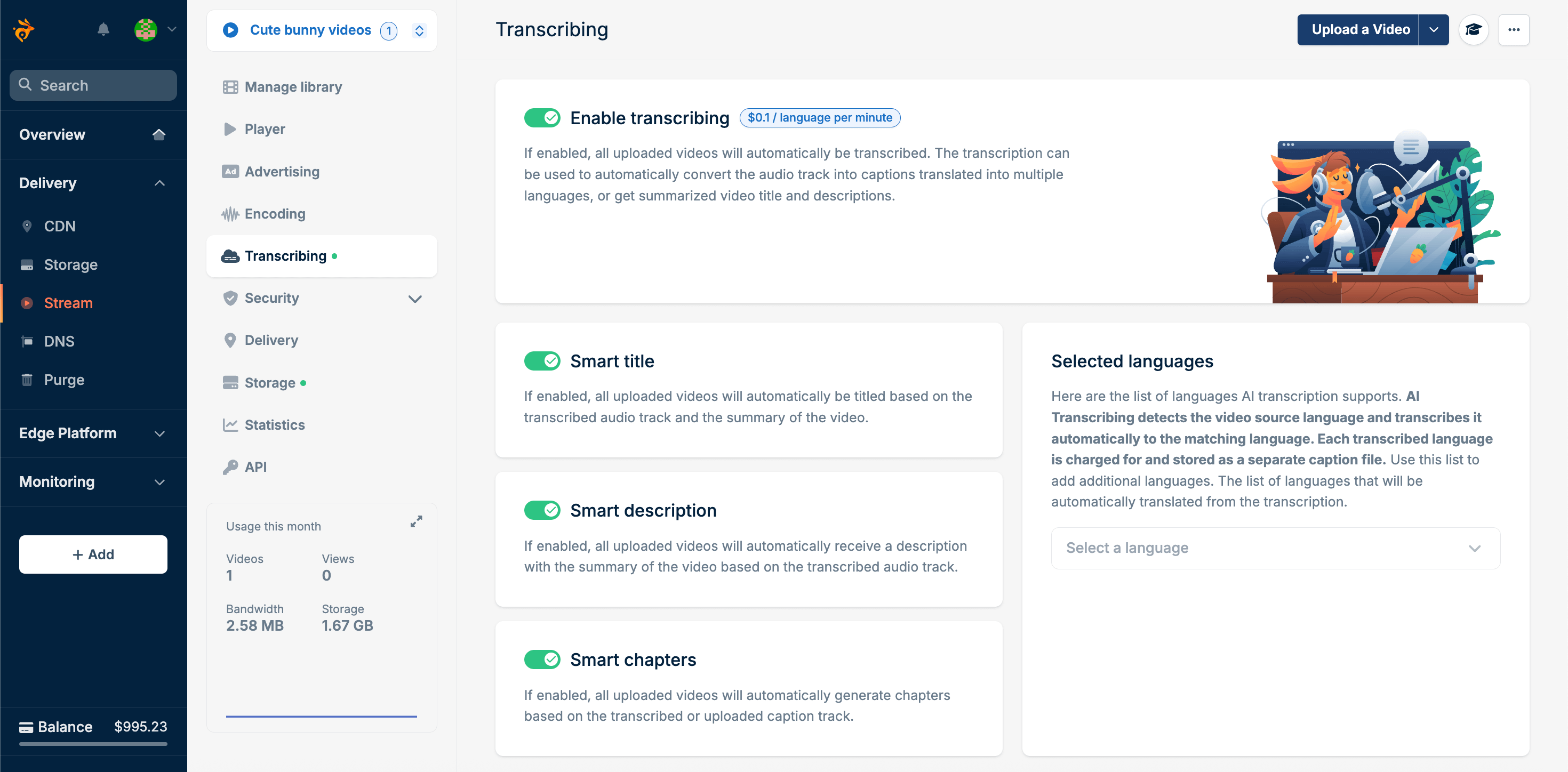
To automatically generate chapters for newly uploaded videos, choose a video library and go to Transcribing to toggle Smart chapters on.
Alternatively, you can enable smart chapters programmatically via the API:
curl
--request POST \--url
https://api.bunny.net/videolibrary/******* \--header
'AccessKey: *********-*-420d-a6b4-ae2465b30fa5' \--header
'accept: application/json' \--header
'content-type: application/json' \--data
'{ "EnableTranscribingChaptersGeneration": true}'
Once enabled, all newly uploaded videos will have chapters automatically generated as part of the transcription process — at no additional cost.
Additionally, instead of enabling smart chapters globally, you can generate them on a per-video basis via the Trigger Smart actions endpoint. This new endpoint also supports generating smart titles, descriptions, and moments.
For more info on programmatic access, refer to the smart chapters docs and API reference.
How to generate chapters for previously uploaded videos
Once you’ve enabled smart chapters and want to generate chapters for a previously uploaded video, open the video in the library and go to the Chapters tab, then click Generate Smart Chapters.
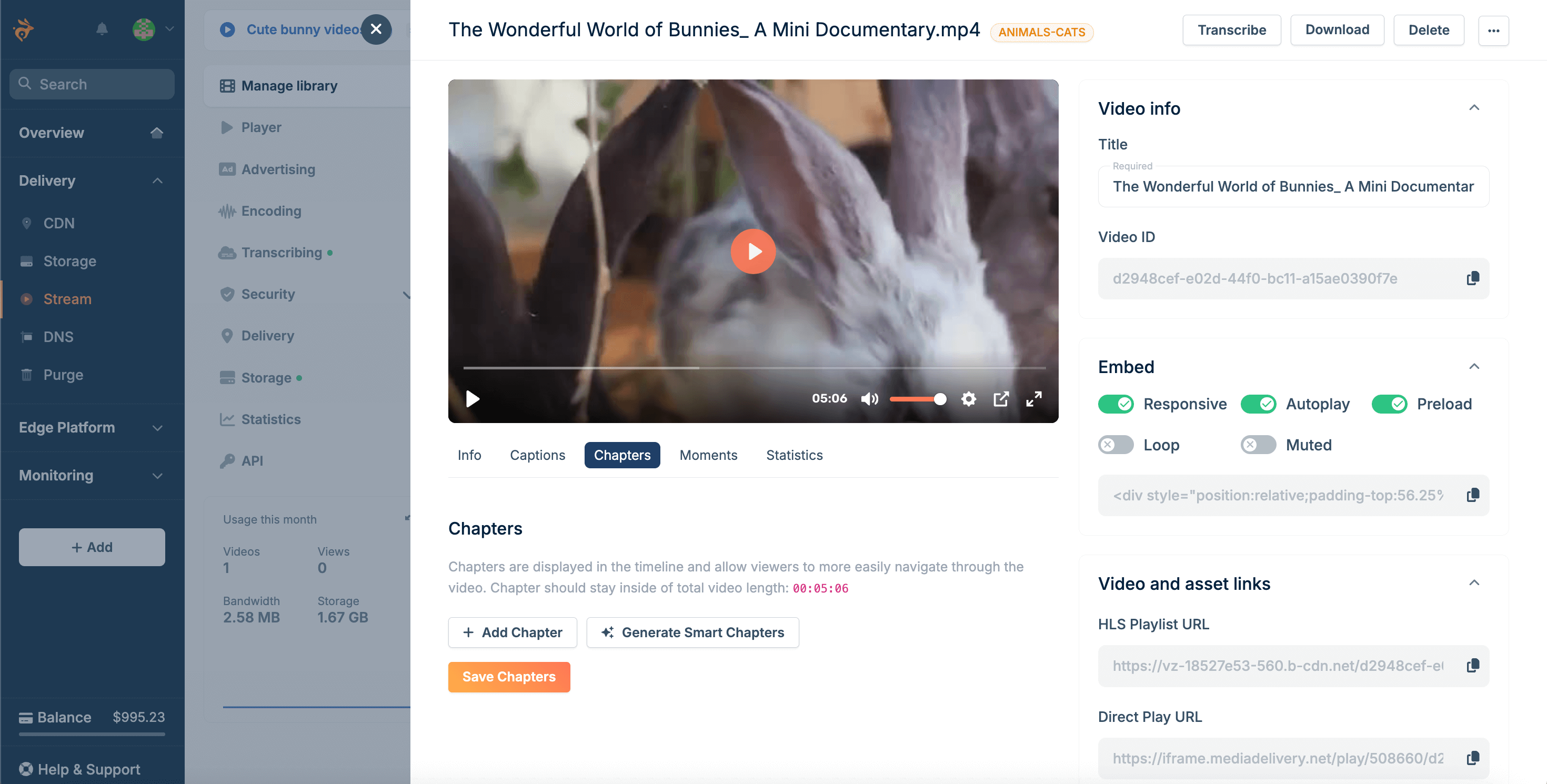
Note: If the video you want to generate chapters for doesn’t yet have a transcription, it will need to be transcribed first.
How to edit the auto-generated chapters
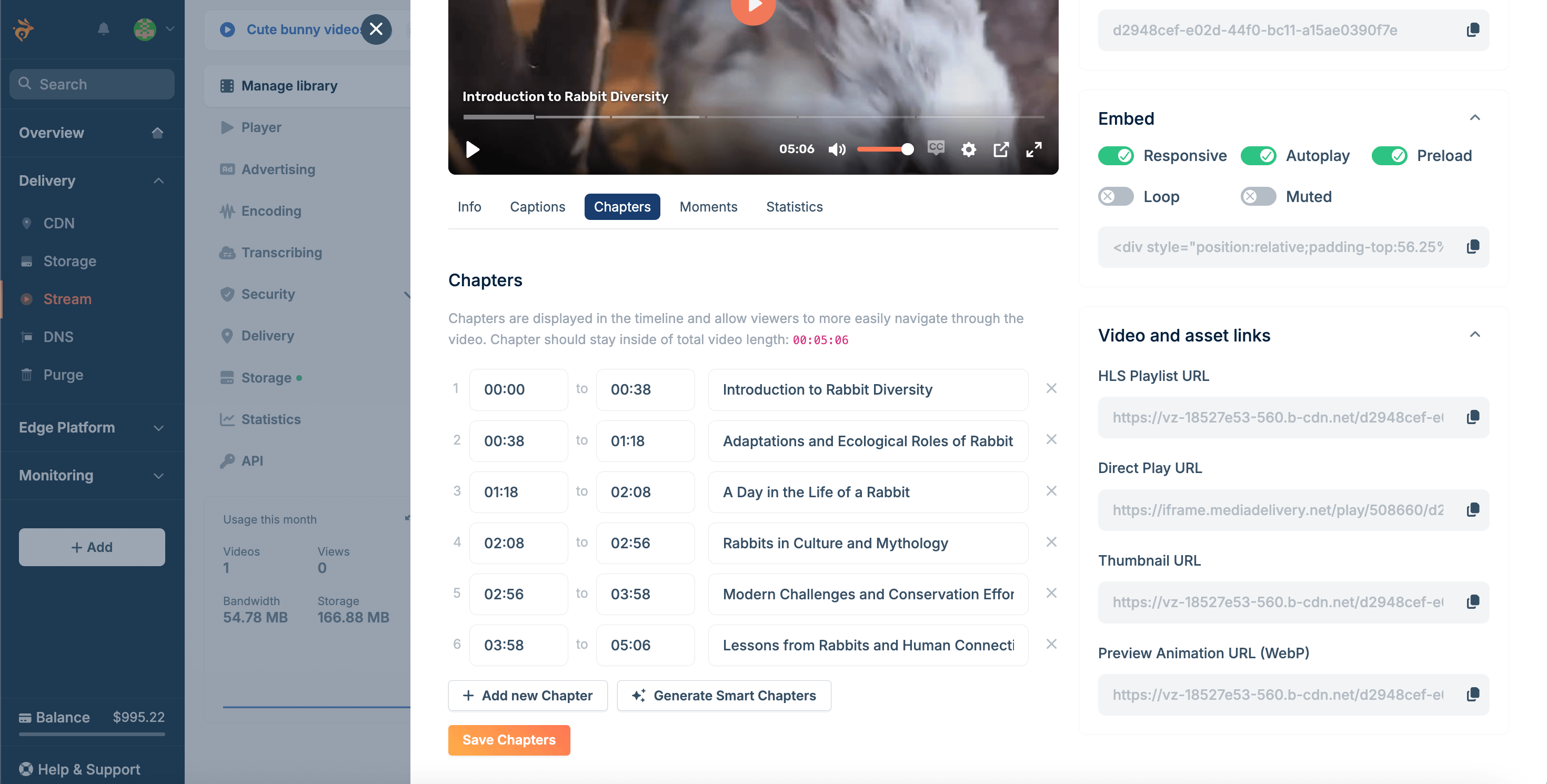
If you’re not fully satisfied with your video’s automatically generated chapters, you can edit them under the Chapters tab. Adjust timestamps, change titles, or add new chapters as needed.
How to track transcription costs
Generating chapters comes at no extra cost other than the cost of video transcription, which is charged at $0.10 per minute of video per language.
You can view your current usage in the dashboard under Balance → Billing → Stream add-ons.
You can also track your transcription stats, including cost, via the Get Video Library Transcribing Statistics endpoint we added recently.
Smart chapters now available in Bunny Stream
The new feature has now been rolled out to all Stream users!
No matter what kind of video content you’re hosting, chapters add a bit of extra polish to your audience’s experience. And now that you can generate them automatically when transcribing content, it’s an absolute no-brainer.
Give smart chapters a try, and happy hosting!