



Bring Bunny Storage into DatoCMS without the copy-paste

Jamie Barton

June 15, 2026
Picking the right asset shouldn't mean juggling two dashboards.
Until recently, using Bunny Storage with DatoCMS looked something like this:
- Log into Storage
- Find the file
- Copy the path
- Switch to DatoCMS
- Paste it into a JSON field and hope you got the URL structure right
- Repeat for every asset
It worked. It just didn't feel like it should. Content editors deserve better.
The setup came out of a conversation with a customer who'd built their own version using Edge Scripting and manual JSON fields. The pieces were all there, but the day-to-day experience of choosing a file was rough on editors and even rougher to maintain across projects. We kept thinking about it and decided to build something better for everyone using Bunny Storage with DatoCMS.
The result is the bunny.net Picker, a DatoCMS plugin that turns asset selection into a single, native step inside your content editor.
Once installed, editors get a proper file picker right where they need it. Browse folders in your Storage Zone. Search the current folder. Drag files in to upload. Preview images and media before selecting. Open the selected file in a new tab when you want to double-check it. Everything happens inside DatoCMS against your live Storage Zone.
When you set up your DatoCMS schema, you choose how each field should behave. Add a JSON field, then pick the presentation that fits the content:
- bunny.net Asset for fields that hold a single file
- bunny.net Assets for fields that hold several
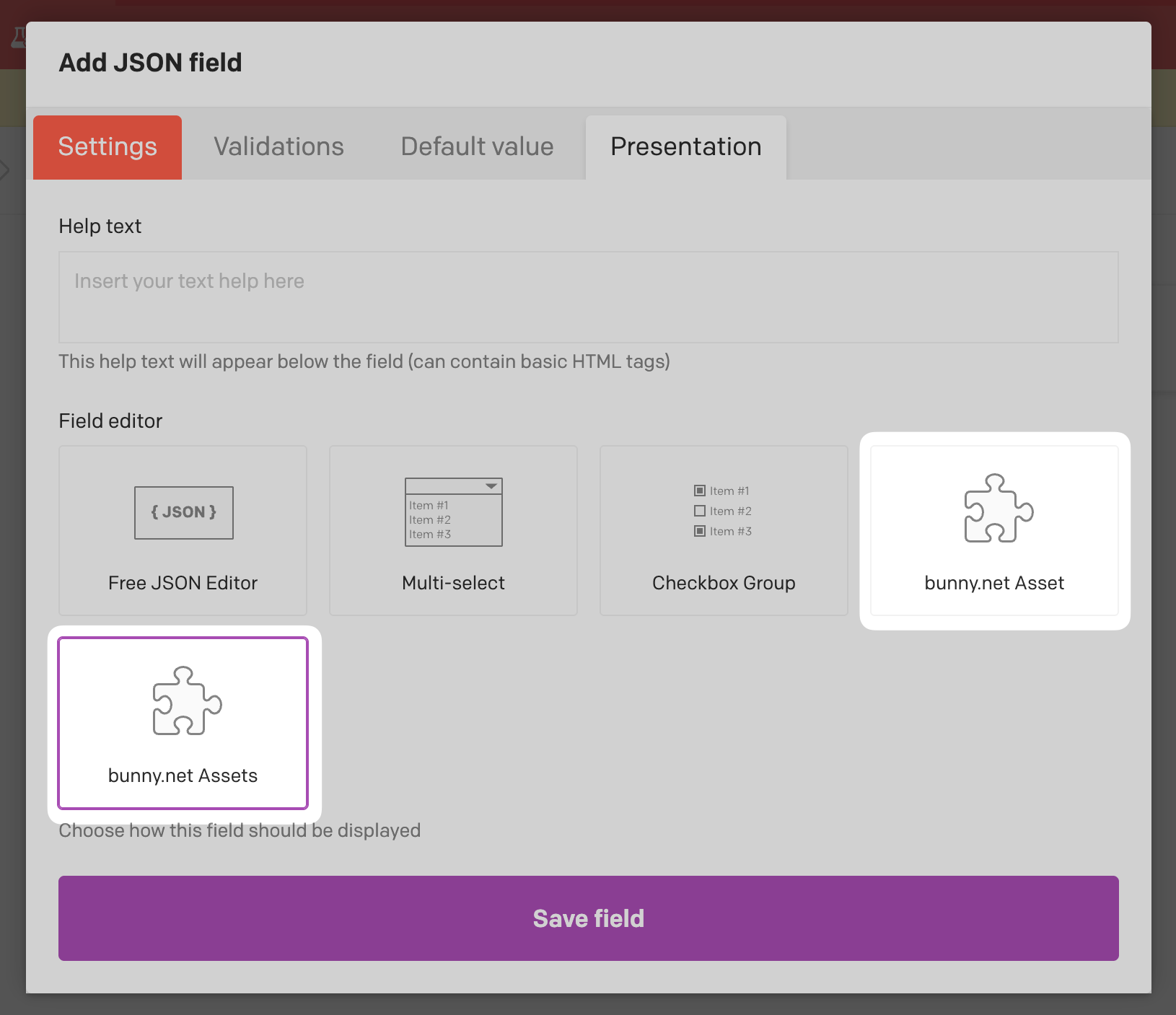
Either presentation accepts any file type your Storage Zone permits, so the same picker works for hero images, product photography, PDFs, video, audio, fonts, or anything else you keep in bunny.net.
For developers, the plugin stores a clean, predictable JSON value in the field. A single asset looks like this after parsing:
{
  "path": "folder/image.jpg",
  "filename": "image.jpg",
  "size": 153240,
  "contentType": "image/jpeg",
  "url": "https://my-zone.b-cdn.net/folder/image.jpg",
  "guid": "8e3b3b4e-1f6a-4b2a-9b8a-2f1e6d7c8a9b",
  "lastChanged": "2025-04-30T10:21:00.000"
}
Multi-asset fields return an array of the same shape:
[
  {
    "path": "folder/image.jpg",
    "filename": "image.jpg",
    "size": 153240,
    "contentType": "image/jpeg",
    "url": "https://my-zone.b-cdn.net/folder/image.jpg",
    "guid": "8e3b3b4e-1f6a-4b2a-9b8a-2f1e6d7c8a9b",
    "lastChanged": "2025-04-30T10:21:00.000"
  }
]
The same value comes through the DatoCMS GraphQL API, so you can query the field like any other piece of content:
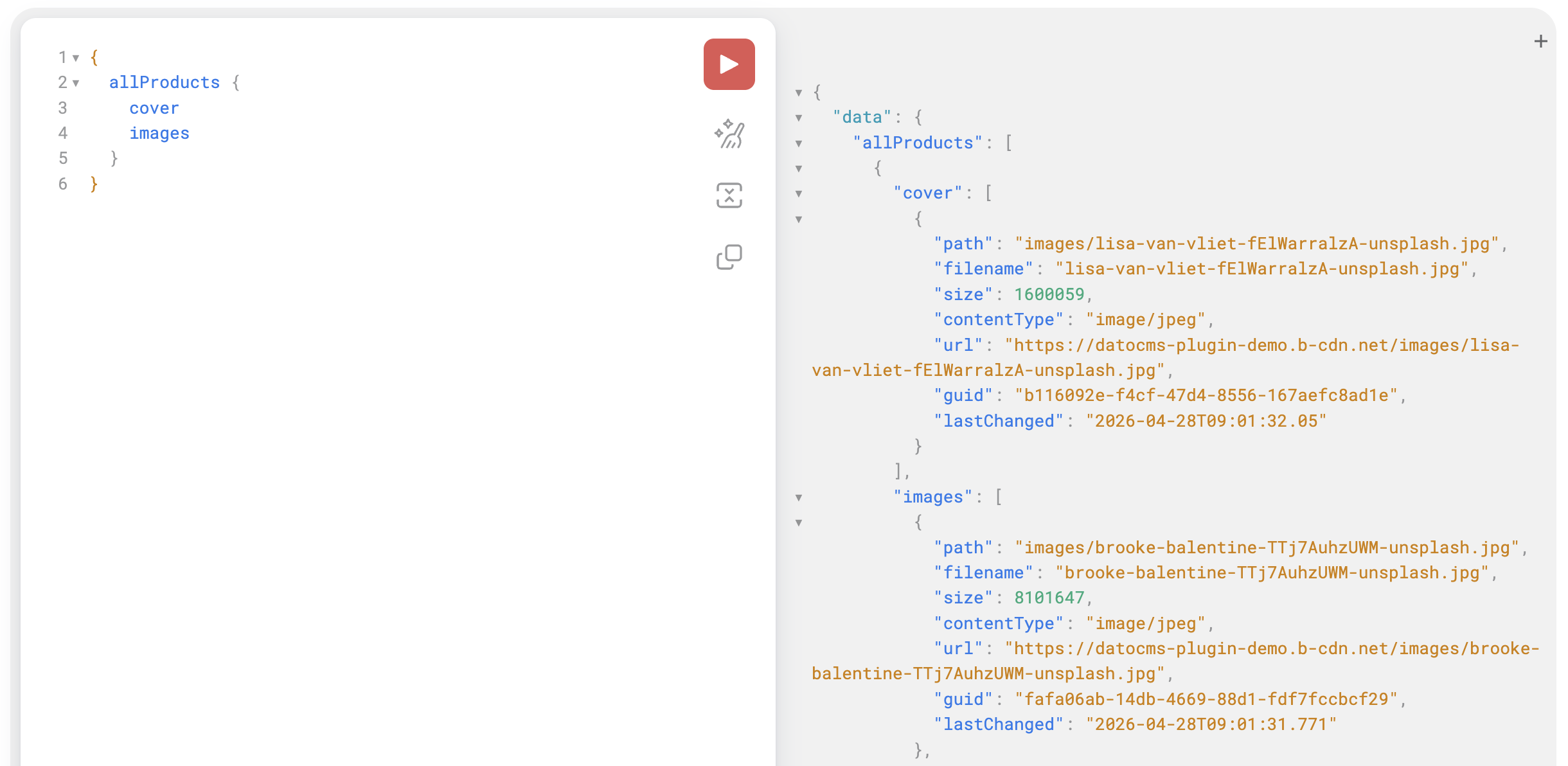
That's the whole integration. No edge script required, no per-project duplication, no URL stitching in the CMS.
Configuration is equally lightweight. Point the plugin at your Storage Zone name, API key, Pull Zone hostname, and region, and you're done.
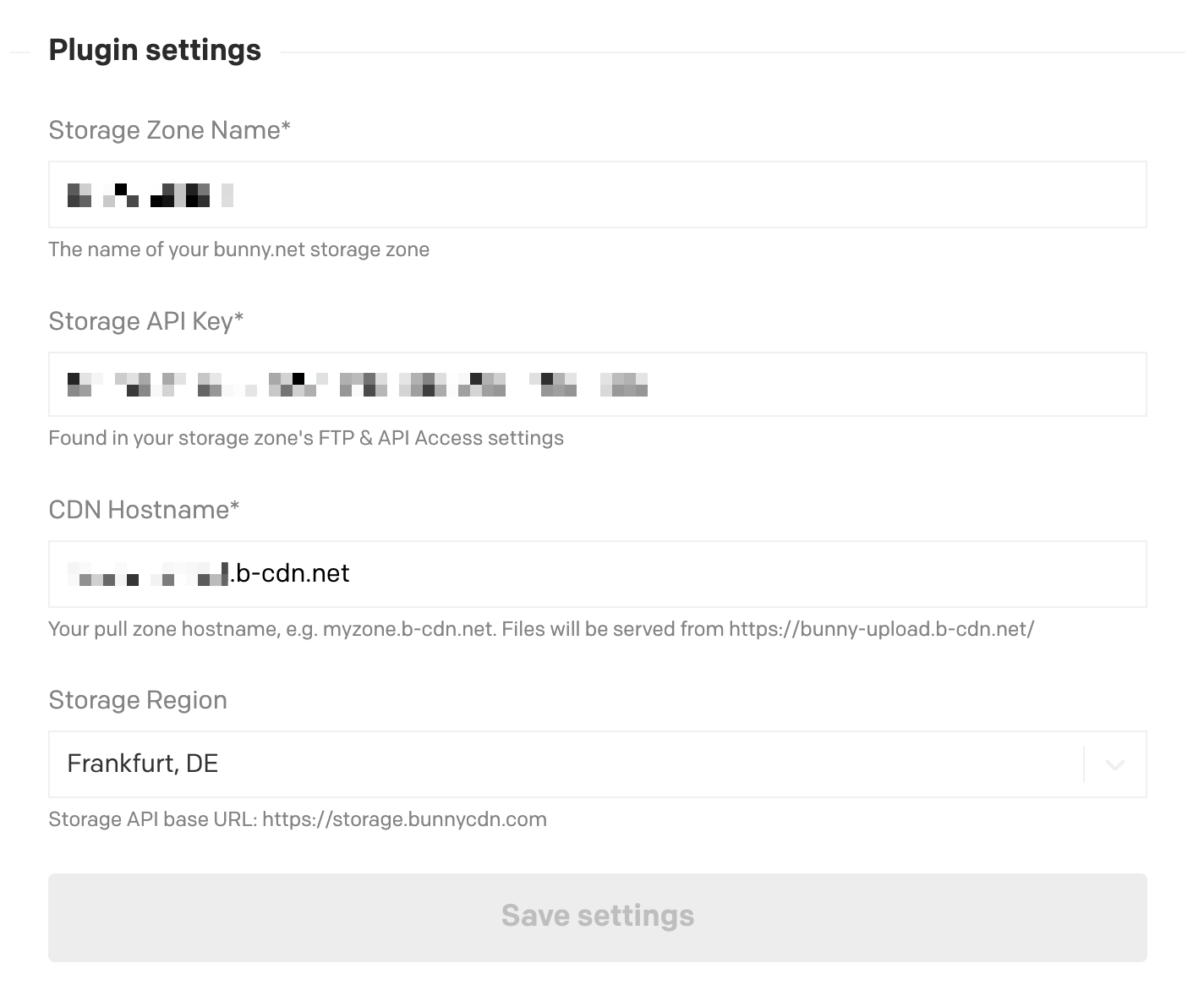
All Bunny Storage regions are supported, including Frankfurt, London, New York, Los Angeles, Singapore, Stockholm, São Paulo, Johannesburg, and Sydney. Localized JSON fields work out of the box, and existing fields using the older single-asset editor keep the same stored value format, so nothing breaks when you upgrade.
Image transformations with Bunny Optimizer
If your Pull Zone has Bunny Optimizer enabled, you can transform images on the fly by appending query parameters to the stored url.
const asset = JSON.parse(record.bunnyAsset)
const thumbnail = `${asset.url}?width=400&height=300&aspect_ratio=4:3`
const webp = `${asset.url}?format=webp&quality=80`
Common parameters:
width,heightto resize imagesaspect_ratioto crop to a ratio, for example16:9formatto convert towebp,avif,jpg, orpngqualityfor compression quality from0to100
See the Bunny Optimizer docs for the full list of options. Optimizer must be enabled on your Pull Zone for these parameters to take effect.
Building this also turned out to be a genuinely good developer experience. The DatoCMS Plugin SDK lets you develop with React and Vite while connected locally to your project, which made iterating on the picker feel closer to building a normal app than wrestling with a CMS extension. If you want to extend the plugin or build your own, their Plugin SDK docs are a good place to start. All of the code is open source on GitHub, and available on NPM.
The bunny.net Picker is available now in the DatoCMS plugin directory. Install it, point it at your Storage Zone, and give your editors the picker they should have had all along.
Comments require cookies. to view and post.