



Burrow Smart Routing is Generally Available: a faster path for dynamic traffic

Joe Connolly

Marco Biagi

September 17, 2026
A shopper has loaded your site, filled their basket, and clicked checkout. The images are already on screen. Now they’re waiting for a request that has to reach your origin.
The route to your origin can be the difference between a smooth checkout and a customer left staring at a loading spinner. Uncached API calls and personalized responses depend on it too. At bunny.net, we want our network to help accelerate the parts of your application that need a fresh response from the origin.
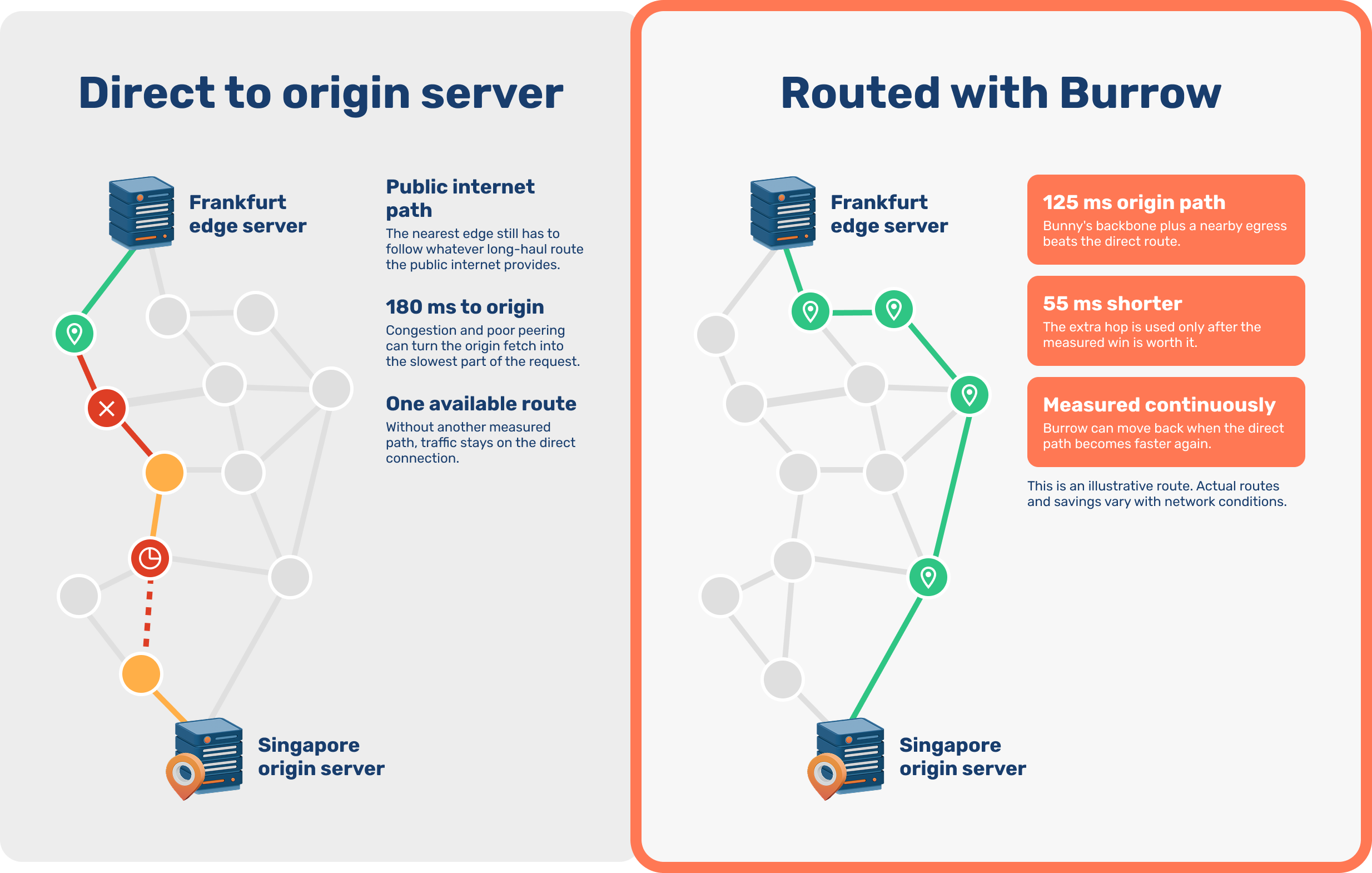
That was the goal when we introduced Burrow Smart Routing last October. When the direct origin path is slow, Burrow can carry requests across our backbone and reach the origin through another bunny.net region with a faster route.
Today, Burrow Smart Routing is Generally Available within Bunny Optimizer. During Public Preview, we rebuilt the routing engine to discover useful paths sooner, respond faster to changing conditions, and be more selective about when rerouting is worthwhile.
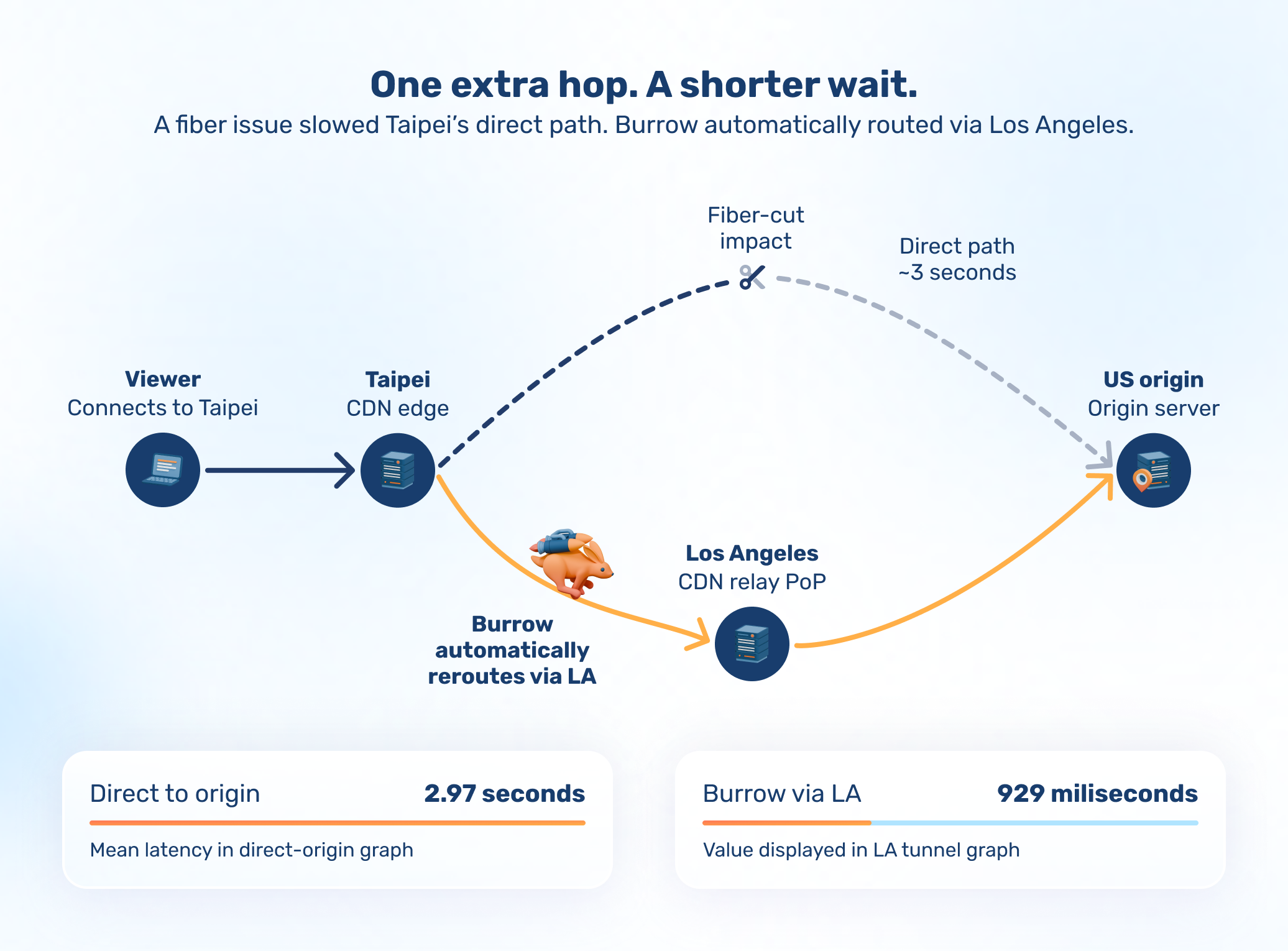
Bringing a customer back online through Los Angeles
For one customer, congestion from a transatlantic fiber cut pushed latency between our Taipei region and their origin to around three seconds. The network incident was disrupting access to their site.
Burrow automatically rerouted that origin traffic through Los Angeles. Latency dropped to below one second, bringing the site back online for affected visitors while the underlying incident was still ongoing.
Discover faster origin routes with Active Origin Probing
The original Burrow learned from requests already traveling through the bunny.net network. A region could have a useful path to an origin and still be absent from the routing decision because it had never handled traffic for that site. Smaller sites, or those with visitors concentrated in one region, could wait longer for Burrow to gather enough evidence.
Active Origin Probing helps fill that gap. When enabled, it lets Burrow ask suitable regions near the origin to measure alternative paths when a direct connection is slow enough to benefit from a change.
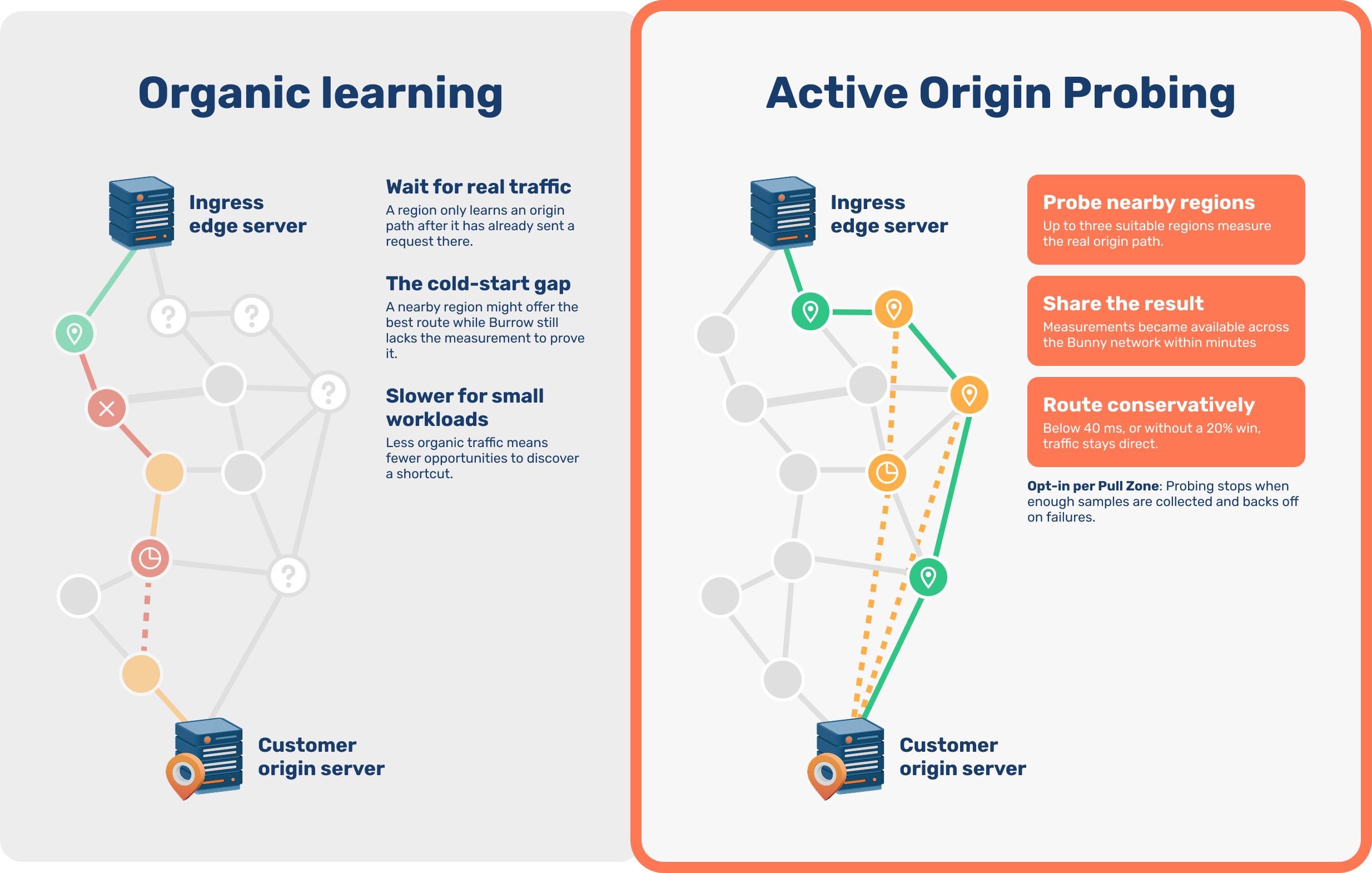
The checks use the same request pipeline as real origin traffic, and their results are shared across the bunny.net network. A site can therefore discover useful routes within minutes, even without a large, globally distributed audience.
These measurements run in the background. Probing stops when Burrow has enough information and backs off when checks fail.
Reroute when the improvement is worthwhile
Sending a request through another region adds backbone traffic. A small fluctuation in latency should not be enough to justify that extra routing.
Burrow now leaves fast direct connections alone and requires a meaningful measured improvement before choosing an alternative. This helps keep your Burrow bandwidth allowance focused on requests that benefit from the extra route.
After switching, Burrow measures the full journey through the additional edge. The actual result replaces the earlier estimate, giving subsequent routing decisions evidence from the path your traffic is using.
Adapt as network conditions change
Burrow continues measuring the direct path after traffic moves to an alternative. When conditions recover, it can move requests back. Recent measurements now carry more weight, helping it respond sooner when a route improves or deteriorates while retaining useful context for quieter workloads.
Routing plans are refreshed in the background. If there is not enough evidence to choose an alternative, requests continue directly to the origin while Burrow gathers more information.
Give your dynamic traffic a faster path
Burrow Smart Routing is now Generally Available with Bunny Optimizer. Each Optimizer subscription includes 50 GB of Burrow-routed uncached traffic per month. Additional Burrow-routed traffic is billed at $0.06/GB. Cached responses served from the edge do not use Burrow or count toward that allowance.
Billing for additional Burrow-routed traffic begins on October 17, 2026. Until then, it's free for everyone, so you can try Burrow without any surprise charges.
To get started:
- Open your Pull Zone, go to Optimizer, and enable Optimizer if it is not already active.
- Open the Burrow tab and turn on Burrow Smart Routing.
- To use Active Origin Probing, first configure your origin to return a successful response at
/.well-known/bunny-burrow-probe.txt, then enable the Active Origin Probing toggle in the same Burrow area.
Optimizer statistics show how many requests Burrow has optimized and an estimate of the time saved for your Pull Zone, so you can see what the routing is contributing to your application’s delivery.
Thank you to everyone who ran Burrow during Public Preview and helped us improve it.
Log in or sign up today and let Burrow find a faster route for your dynamic traffic.
Comments require cookies. to view and post.