



You can now manage Bunny Storage with the bunny.net CLI

Jamie Barton

September 1, 2026
When we introduced the bunny.net CLI, it shipped with full Database support, and we said more of the stack would follow. Since then, we’ve added support for Edge Scripting, DNS, and Sandboxes.
Today, we’re bringing Bunny Storage to the CLI in Public Preview.
You can now create Storage Zones, connect them to Pull Zones, upload and download files, configure custom domains, and retrieve S3-compatible credentials, all without leaving your terminal.
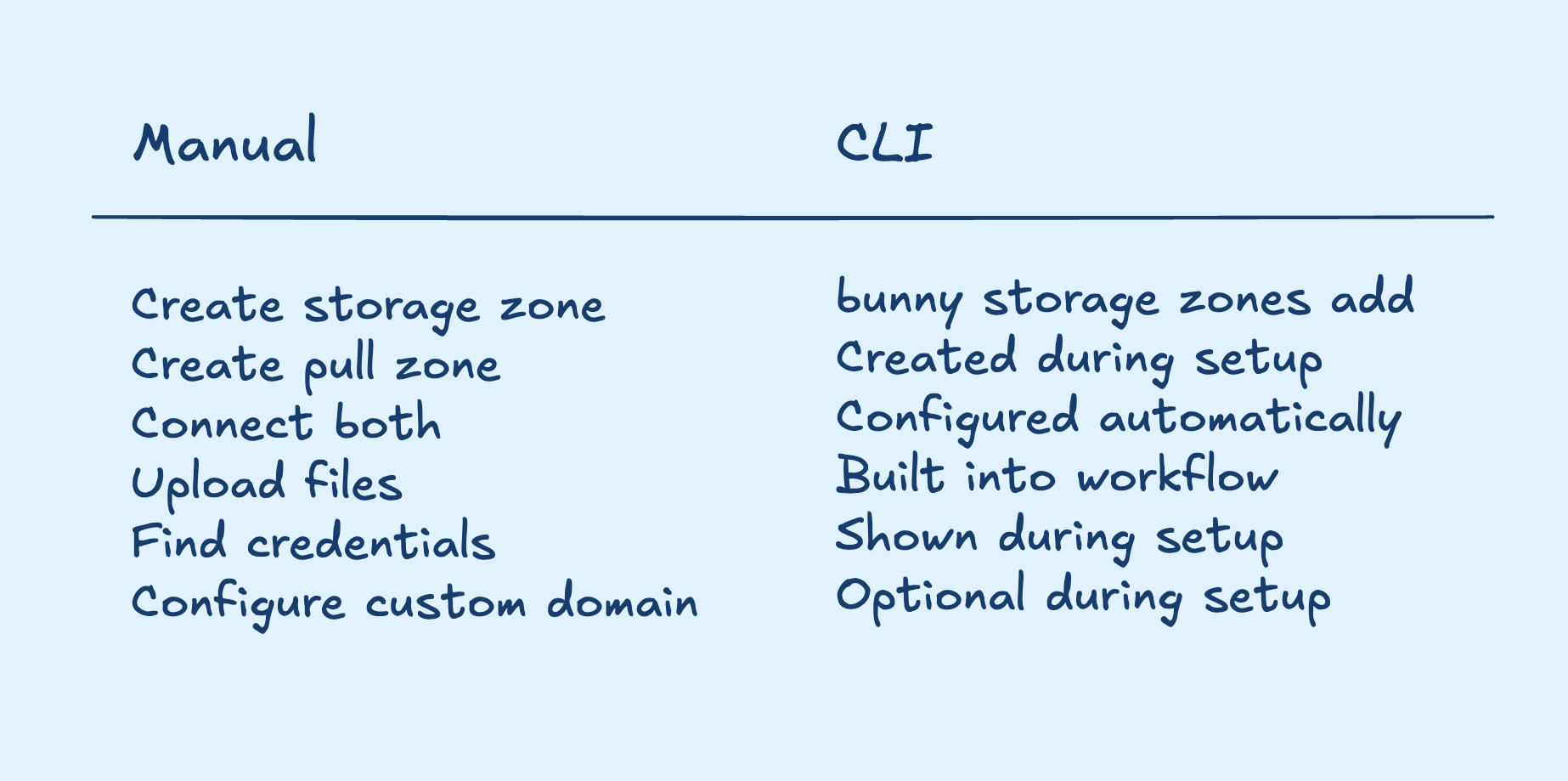
None of these steps is particularly difficult on its own; they're just spread across different parts of the platform. The CLI brings everything together into a single workflow.
Two zones, one job
Bunny Storage is built around two services that work together: a Storage Zone holds your files, and a Pull Zone serves them over HTTP through the bunny.net CDN.
Files in a Storage Zone aren't publicly reachable on their own. The Pull Zone sits in front, treats storage as its origin, caches the result across the network, and serves it to your users.
The CLI knows this, so it can do both at once:
bunny storage zones add
That creates the Storage Zone, offers to create a Pull Zone alongside it, connects the two, and offers to attach a custom domain. One command, and you end up with a URL that resolves.
Create your storage
Everything starts with a Storage Zone. Pick a name, choose a tier, choose a main region, optionally add replication, and you can start uploading.
Run it with no arguments and it asks:
bunny storage zones add
Every one of those prompts has a matching flag, so the same command works in CI:
bunny storage zones add my-storage --region DE
Two of those choices are permanent, so it's worth knowing about them before you answer.
The tier is either Standard (HDD) or Edge (SSD). --tier ssd is faster and always lives in Frankfurt, which is why it won't let you pass a different main region.
S3 compatibility is switched on at creation with --s3 and cannot be added later while S3 is in Public Preview. If you think you might want the S3 API, turn it on now.
If you're not sure which region code you need, the CLI will tell you:
bunny storage regions --tier ssd
Replicate where it matters
Storage doesn't have to live in one place. When you create a Storage Zone, you can pick extra regions to replicate into:
bunny storage zones add my-storage --region DE --replicate NY,SG
Replicas are permanent. There's no API to remove one once it exists, so the CLI confirms before adding any, and zones update --replication only ever adds to the set.
Work with your files
Once the zone exists, you can list, upload, download, and delete files:
bunny storage files list
bunny storage files upload ./photo.png --to images/
bunny storage files download images/photo.png
bunny storage files remove images/photo.png
Notice what's missing from those commands: the zone. Link your project’s directory once, and every file command defaults to it.
bunny storage link my-storage
You’ll end up with a .bunny metadata folder the CLI can reference when you run commands without flags, so other developers can clone your code and run their own storage zones in development too. The CLI already knows which regional endpoint and which password belong to that zone, so there’s no hostname to look up and no SDK to configure first.
S3-compatible credentials
Not every tool speaks the bunny.net Storage API, which is why developers have been asking for S3-compatible Bunny Storage for years. It’s currently in Public Preview, and since most tools already speak S3, it’s a perfect fit for the CLI.
If your zone was created with --s3, the CLI can hand its credentials to those tools in the format each one expects: the AWS CLI, rclone, s3cmd, shell environment variables, or JSON.
Export them into your current shell:
eval "$(bunny storage zones credentials my-storage --format env)"
Now anything that speaks S3 can use them:
aws s3 sync ./dist s3://my-storage/assets
Or write an rclone remote straight into your config:
bunny storage zones credentials my-storage \
  --format rclone \
  >> ~/.config/rclone/rclone.conf
There are no extra keys to create or rotate. These are your existing Storage Zone credentials, reshaped. Pass --read-only if the tool on the other end only needs to read.
Secrets are masked by default, including under --output json. You get the real value when you ask for it with --show-secret, or when you ask for a tool config, because a config with a masked password in it is no use to anyone.
If you already have S3 tooling, nothing in your workflow has to change. S3 support is in Public Preview, so check the full compatibility details before you point production at it.
Built for automation
Like everything else in the bunny.net CLI, Storage works the same in a script as it does in a terminal.
Every prompt has a flag. Every command has --output json. Nothing waits on an answer that isn't coming: run without a TTY, or pass --force, and anything that would have prompted either takes the flag value or tells you which flag it needed.
The commands you run on your laptop are the commands you run in CI.
What's next?
Bunny Storage joins Bunny Database, Edge Scripting, DNS, and Sandboxes in the CLI today.
Magic Containers are next. The goal hasn't changed:
- Start with an empty terminal.
- Provision your infrastructure.
- Deploy your application.
- Upload your assets.
- Manage your services.
All without leaving the command line.
Comments require cookies. to view and post.